The function allows you to easily calculate the amounts of VAT that can and cannot be deducted. You can specify that VAT is not to be deducted on purchases under certain conditions:
The type of goods or services purchased (article, fixed asset, project). VAT may be fully or partially non-deductible based on the legal provision applicable to the goods or services.
Setup
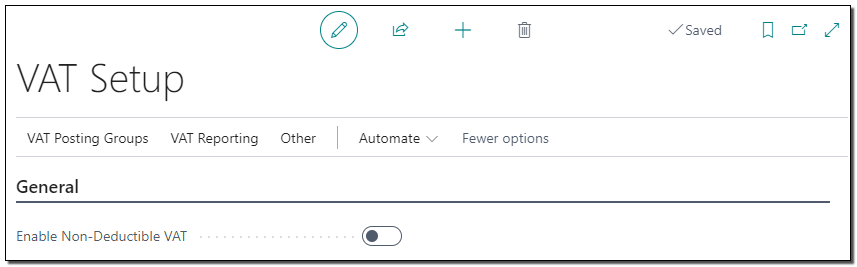
1. On the VAT Setup page, the Enable Non-Deductible VAT option can be used to enable this functionality.
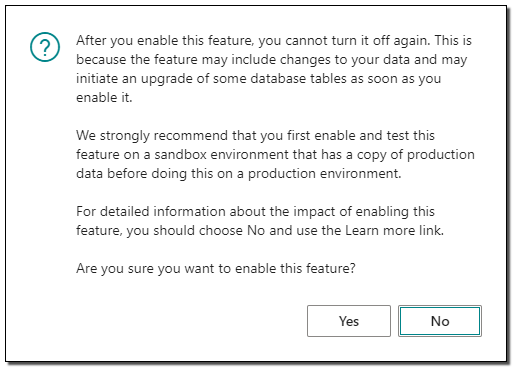
Enabling this feature cannot be revoked! The system will warn you and the authorisation can still be cancelled in this state.
After enabling this function, new options are available on the VAT Setup and on the VAT Posting Setup page.
VAT Setup
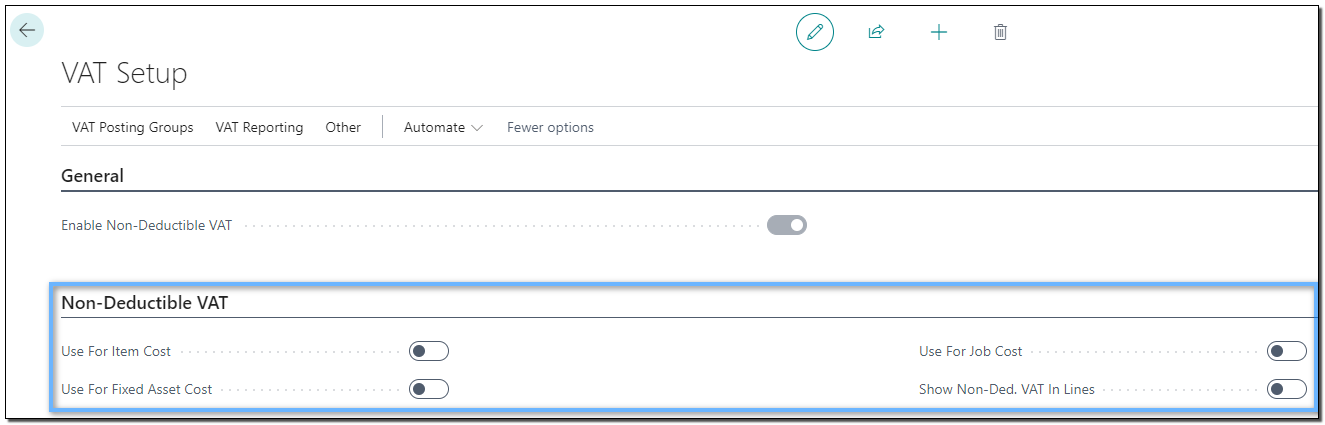
- Use For Item Cost: If turned on, the system will add the non-deductible VAT to the cost of the item.
- Use For Fixed Asset Cost: If turned on, the system adds the amount of non-deductible VAT to the cost of the fixed asset.
- Use For Job Cost: If turned on, the system will add the non-deductible VAT to the project costs.
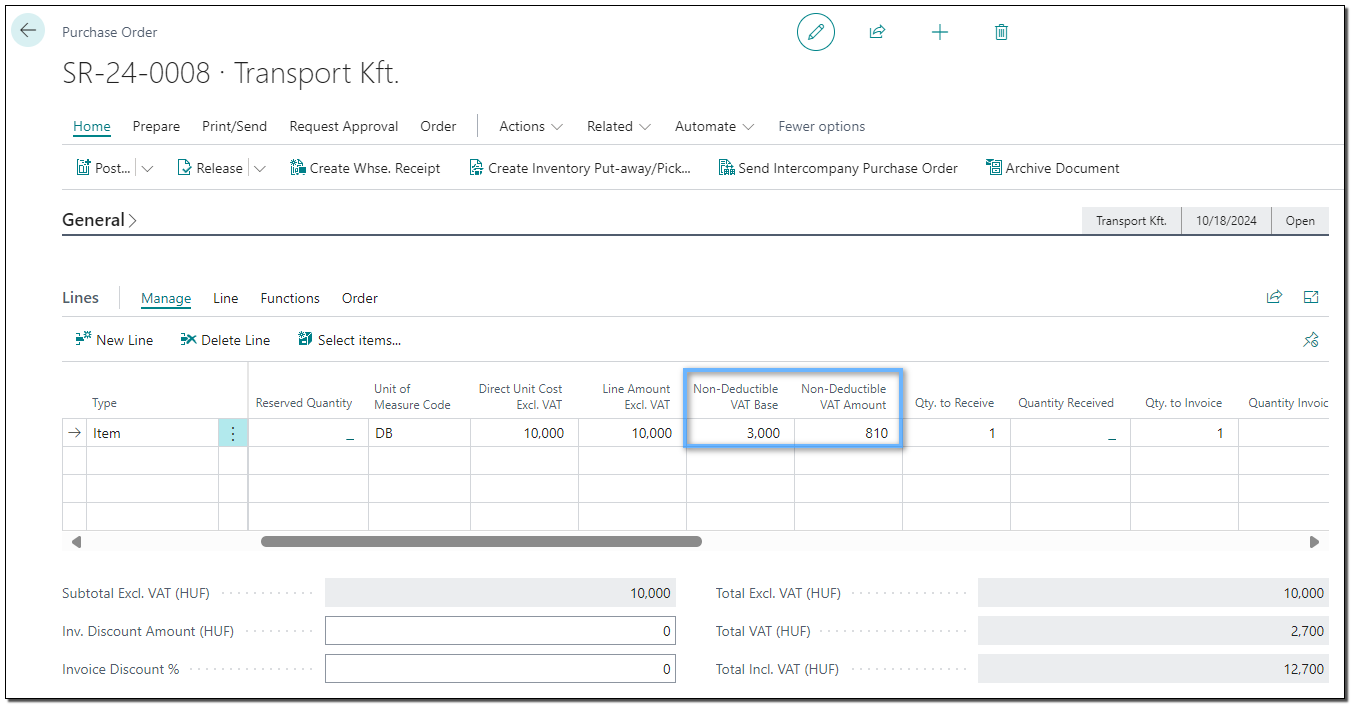
- Show Non-Ded. VAT in Lines: If on, the non-deductible VAT data (non-deductible VAT base, non-deductible VAT amount) are displayed in the purchase document rows.
VAT Posting Setup
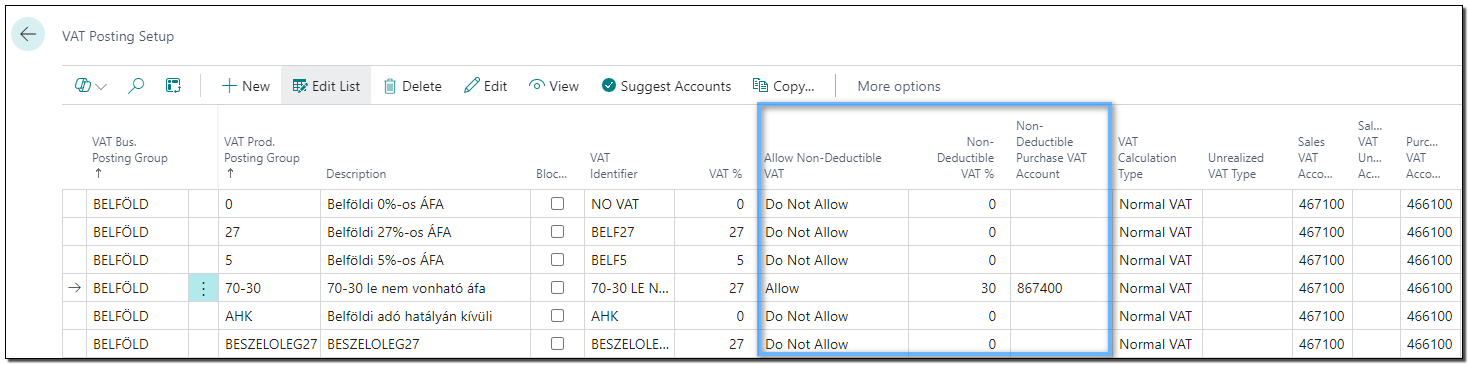
- Allow Non-Deductible VAT: This field can be used to specify whether or not to allow non-deductible VAT to be treated in the given VAT combination. The Non-Deductible VAT % field can only be filled in if the value in the field is Allow.
- Non-Deductible VAT %: This is the percentage of the transaction amount on which VAT is not deductible.
- Non-Deductible Purchase VAT Account: The system posts the non-deductible VAT to the specified general ledger account. If the field is left blank, the non-deductible VAT amount is posted to the general ledger account specified/referenced in the purchase transaction. For example:
- The general ledger number 527 is entered in the invoice row, but the value of the non-deductible purchase VAT invoice is not entered in the VAT accounting matrix. The non-deductible VAT amount is posted to the general ledger account 527.
- The general ledger number 527 is entered in the invoice line and the value of the non-deductible purchase VAT invoice in the VAT accounting matrix is 867. The amount of non-deductible VAT is entered in the general ledger account 867.
When you record a purchase document, the VAT amount field shows the total VAT amount (not the total amount minus the non-deductible VAT amount). You can view the non-deductible VAT amount in the rows, or by clicking on the Tax row number field in the Statistics window, or in the Posting Preview window.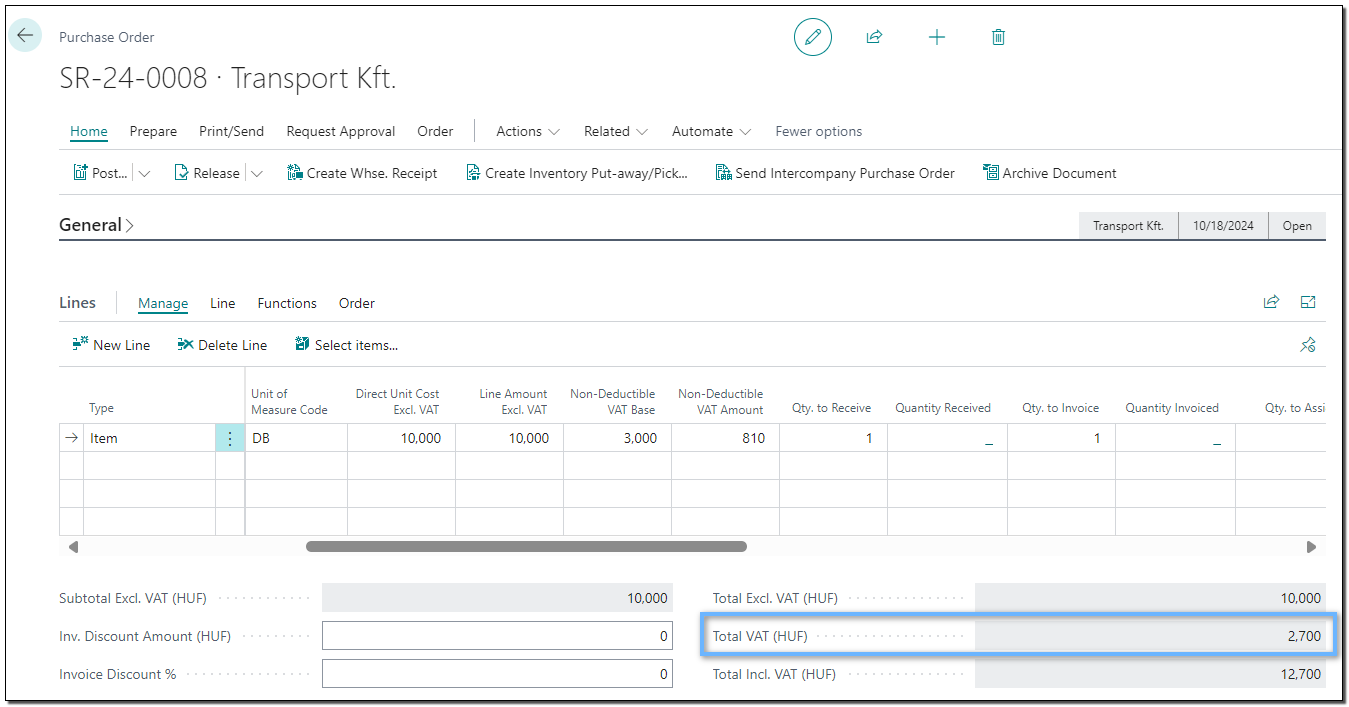
There is no need to manually fill in the Output VAT (HUF) field on the purchase receipt, the system automatically records the full VAT amount on the document.
Was this article helpful?
That’s Great!
Thank you for your feedback
Sorry! We couldn't be helpful
Thank you for your feedback
Feedback sent
We appreciate your effort and will try to fix the article